
Download AudioLabel CD DVD Labeler – CD label maker, DVD label maker, audio label software, label design tool, disc labeling software
Overview
AudioLabel CD DVD Labeler is a specialized utility designed to help users create professional-looking labels for CDs and DVDs. The application serves as a practical tool for music lovers, home media organizers, and hobbyists who want to enhance the visual presentation of their physical media collections. By providing an intuitive interface and a range of design features, the software simplifies the process of labeling discs, turning a potentially tedious task into a streamlined experience. Its primary purpose is to enable users to generate custom labels with accurate dimensions, personalized text, and high-quality images, all while maintaining consistency across a collection.
The app addresses common challenges such as misaligned designs, incorrect sizing, and the time-consuming effort of manually creating labels from scratch. It is particularly beneficial for individuals who maintain large music or video libraries and seek a way to organize their discs efficiently. Whether used for personal archives, gift sets, or small-scale distribution, AudioLabel CD DVD Labeler adds a polished, professional finish to physical media. The developer, AudioLabel, has focused on delivering a no-frills, functional solution that prioritizes usability and compatibility with standard label printing formats.
Although the developer did not provide additional technical details, the software’s long-standing presence in the productivity space suggests reliability and stability. The application operates within the Windows ecosystem and has been available since 2014, indicating consistent updates and user support over time. Real-world use cases include creating matching labels for home-recorded music, replicating original album art, or organizing educational or training DVDs for institutional use. In the broader app ecosystem, AudioLabel CD DVD Labeler fills a niche role as a lightweight yet effective utility for physical media management.
Key Features & Functionality
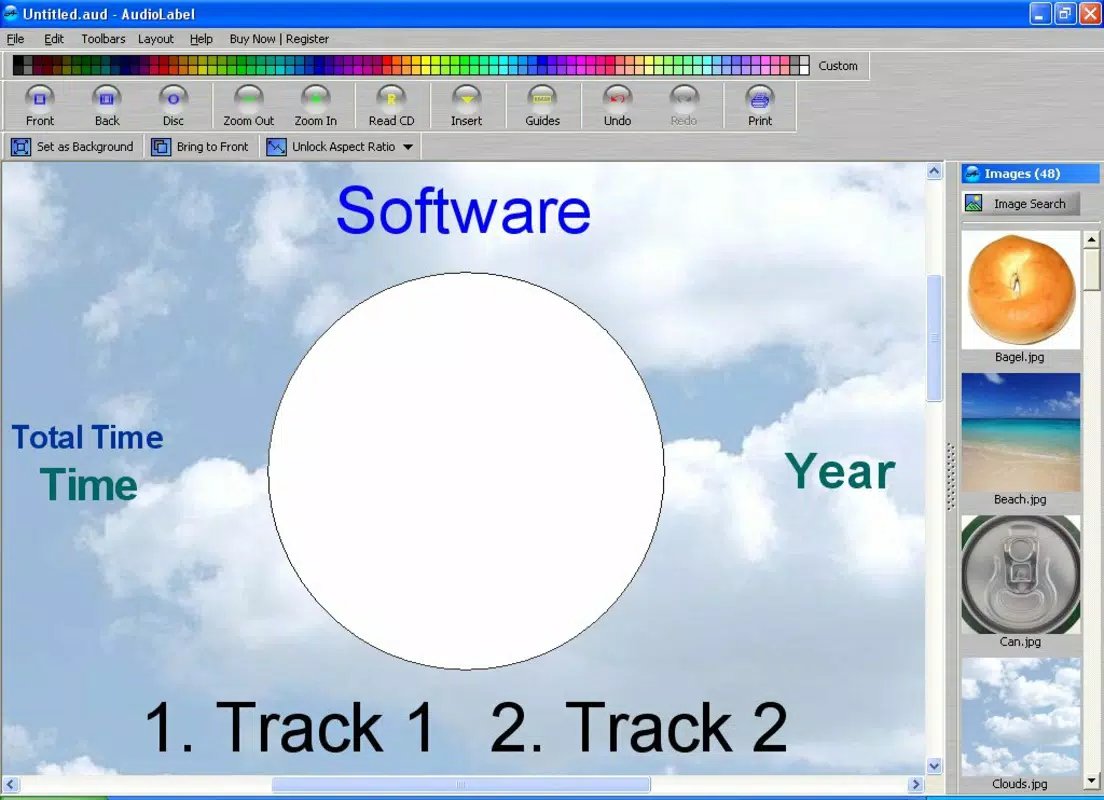
- Easy Image Resizing: Users can import any image and have it automatically adjusted to fit the selected label template. This ensures that visuals appear crisp and properly proportioned without requiring manual scaling or cropping.
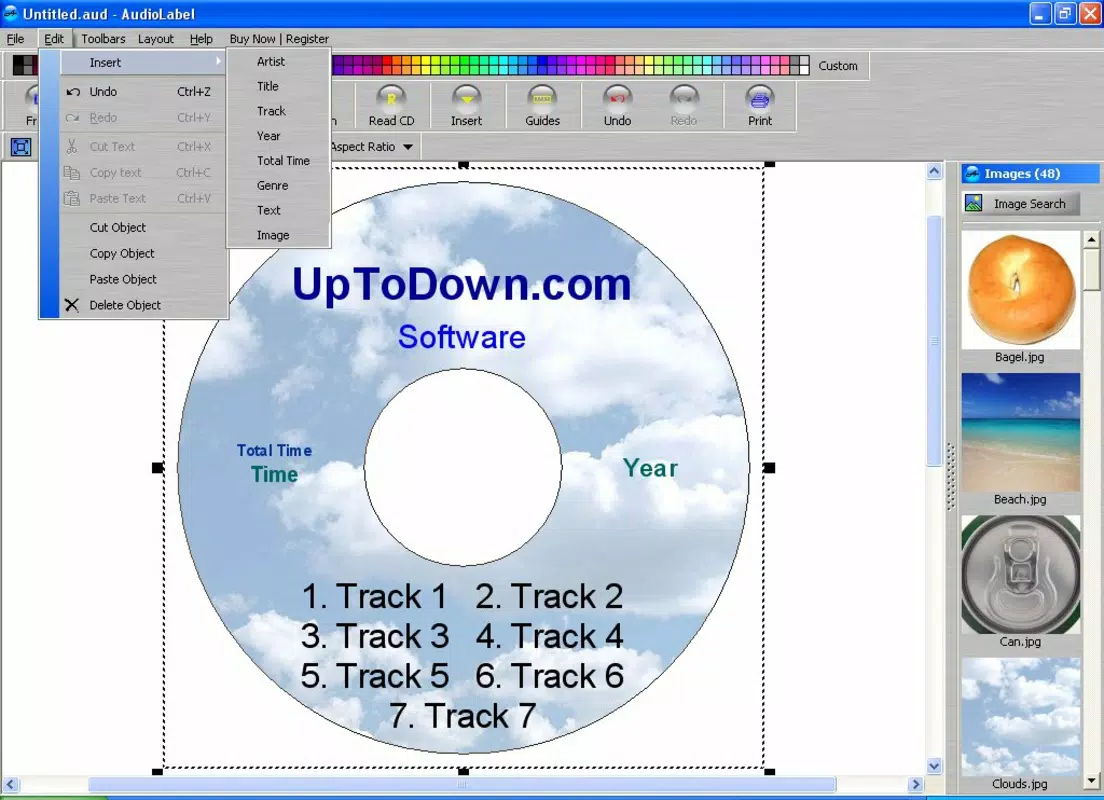
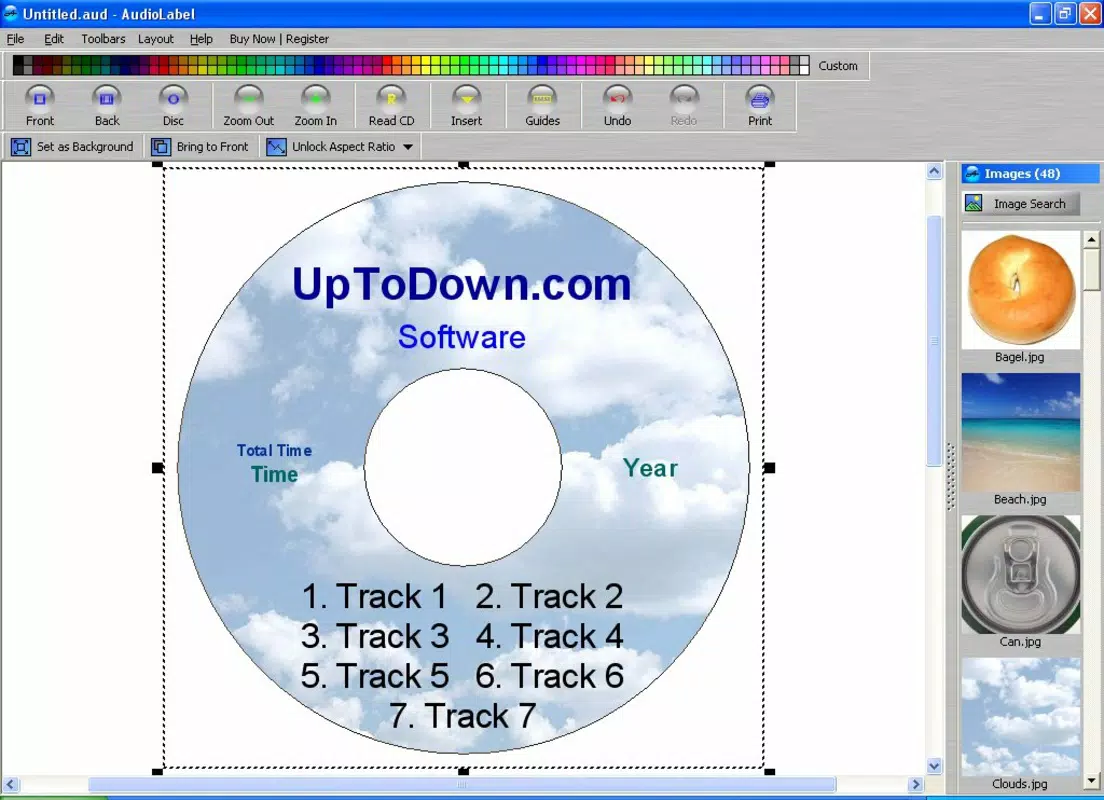
- Text Customization: The software supports customizable text elements, including track titles, artist names, album names, and notes. Multiple font styles, sizes, and color options allow for personalization to match the user’s aesthetic preferences.
- Automatic Information Retrieval: AudioLabel can pull metadata from online databases to automatically populate label details such as album art, track listings, and release dates, reducing the need for manual data entry.
- Template Support: The application includes a library of pre-designed templates compatible with well-known label brands like Avery, Memorex, and TDK. This compatibility ensures accurate alignment and print readiness.
- Enhanced Organization: Custom labels improve the usability of media collections by making it easier to identify discs at a glance, reducing time spent searching and increasing overall system efficiency.
For example, a user compiling a home-recorded music album can use the automatic retrieval feature to pull in cover art and track data, then apply it to a custom label using a Memorex template. Another user preparing a gift DVD set can design cohesive, branded labels with consistent fonts and layout across all discs. These real-world applications demonstrate how the software supports both creative expression and practical organization.
Interface, UX & Performance
The user interface of AudioLabel CD DVD Labeler is designed with simplicity and functionality in mind. It presents a clean layout that organizes tools and settings into clearly labeled panels, allowing users to navigate through the labeling process with minimal friction. Visual elements such as preview windows and drag-and-drop functionality enhance the overall experience, making it accessible even to those with limited design experience.
Navigation is linear and intuitive, guiding users through steps like selecting a template, adding images, inserting text, and preparing the final output for printing. The software maintains responsive performance across various Windows devices, including desktops and laptops. Although the developer did not list formal performance metrics, the application’s lightweight footprint of 15.6 MB suggests efficient resource usage and fast startup times.
Stability appears to be consistent, given the app’s long availability and free distribution model. Users can expect reliable operation during label creation and printing workflows. The software does not appear to require significant system resources, making it suitable for older or low-spec machines. Overall, the UX emphasizes clarity and speed, ensuring that users can complete their labeling tasks without technical interruptions or confusion.
Platform Compatibility & Technical Requirements
AudioLabel CD DVD Labeler is designed for the Windows operating system. It is compatible with a range of Windows versions, though specific requirements were not listed by the developer. The software has a file size of 15.6 MB, which indicates a lightweight installation and minimal storage impact.
Given that the app was released in 2014 and remains available, it likely supports modern Windows environments such as Windows 10 and Windows 11. However, the developer did not specify minimum OS requirements, so users should exercise caution when installing on older systems. No additional hardware or peripheral dependencies were mentioned, though a printer is required for physical label output.
Compatibility information was not fully disclosed, so users should verify system compatibility before installation. The absence of mobile or cross-platform availability suggests this is a desktop-only tool, intended for use on Windows PCs rather than smartphones or tablets.
Pros and Cons
Pros
- Free to download and use, with no hidden costs or subscriptions.
- Intuitive interface suitable for beginners and casual users.
- Supports a wide range of label templates from major brands.
- Automatically retrieves metadata to reduce manual input.
- Lightweight design with low system resource consumption.
Cons
- Only available for Windows; no support for macOS or mobile platforms.
- Specific system requirements were not provided.
- Limited to desktop use; not optimized for touch or tablet interfaces.
- No built-in cloud sync or export options for digital sharing.
- Dependent on external printer for physical label output.
FAQ
Is AudioLabel CD DVD Labeler safe to download?
The software is distributed as a free tool and has been available since 2014. While no third-party verification was provided, its long-standing presence suggests it is free from known malware.
Can I use this app on my Mac or mobile device?
No, the application is currently only available for Windows. There is no official version for macOS, iOS, or Android.
Do I need a printer to use AudioLabel CD DVD Labeler?
Yes, the software generates printable label designs. A standard inkjet or laser printer is required to produce physical labels.
How often is the software updated?
The developer has not disclosed a release schedule. However, the app has remained available since 2014, indicating ongoing maintenance.
Can I export my label designs to other formats?
Specific export options were not listed. The primary output is for printing, though users may save images in common formats like PNG or JPEG.
Final Thoughts
AudioLabel CD DVD Labeler stands out as a focused, efficient solution for anyone needing to create professional-quality labels for CDs and DVDs. Its combination of automatic data retrieval, customizable templates, and user-friendly design makes it a valuable tool for organizing physical media collections. While it lacks modern cross-platform support, its lightweight nature and free access make it an excellent choice for Windows users who prioritize functionality over flashy features.
Whether you're a music enthusiast archiving personal recordings or a professional organizing training materials, this app delivers tangible value. Its straightforward workflow and consistent performance ensure a reliable labeling experience. For those seeking a secure, no-cost utility to enhance their disc collections, AudioLabel CD DVD Labeler is a practical and effective option.
Download AudioLabel CD DVD Labeler now


